Key-Value Store Data
The Key-Value Store Data tab is the primary section for viewing individual collection information.
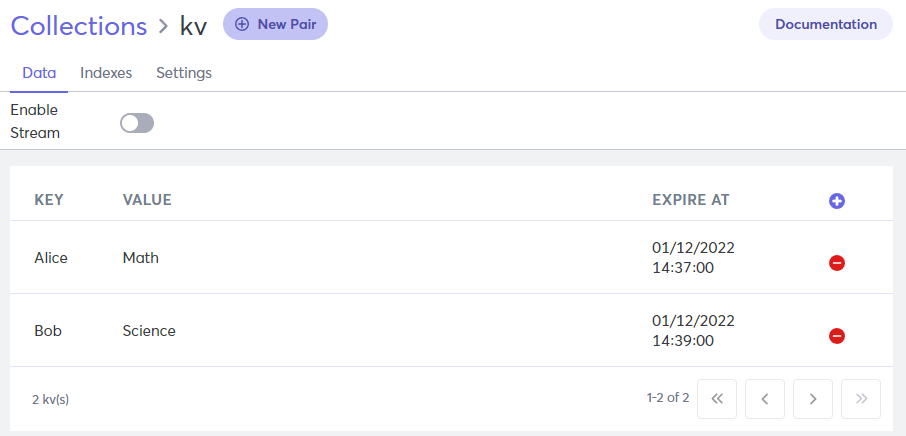
This is a complex tab which contains the following items.
Collection Name
The name of the collection that you are viewing is displayed above the tab, in the upper left corner of the screen.
Enable/Disable Streams
Click to turn streams on or off for this collection. When streams are enabled, you can access the Stream tab.
Create New Pair
Create a new key-value pair inside the selected collection and add data. For more information, refer to Add Key-Value Pairs.
Delete Pair
Click the red minus next to a key-value pair to remove it from the collection.
Key
The key that corresponds to the document. Every key has a unique value.
Value
Displays the value corresponding to the key.
Expire At
The exact time when the time-to-live (TTL) index expires (date and time). Expiration is not required, so the value might be N/A.
Edit a Pair
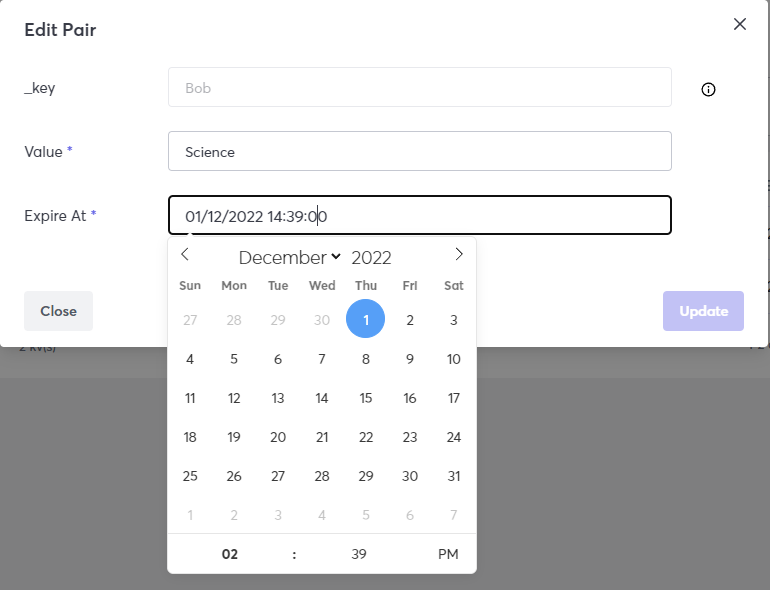
Click a key-value record to open the Edit Pair window. You can change the Value and Expire At fields, but not the _key.