Graph Edge Settings
- UI
- CLI
- API
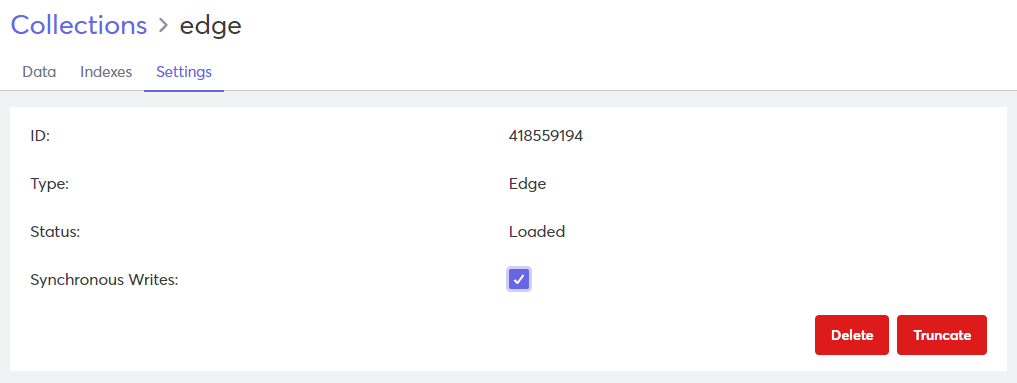
You can view and update graph edge collection settings in the Settings tab.
View Collection Settings
- Log in to your Macrometa account.
- Click Data > Collections.
- Click the collection for which you want to view the settings.
- Click Settings to view the Settings tab.
Graph Edge Settings
Graph edge collections have the following settings:
- ID - System-generated ID of the selected collection.
- Type - The data model type of the selected collection.
- Status - Current status of the selected collection.
- Synchronous Writes - Select the checkbox to enable synchronous writes.
You can also Delete or Truncate the collection.
Use gdnsl collection describe to view information about a collection.
Results will be similar to this code block:
{
  "error": false,
  "code": 200,
  "waitForSync": false,
  "name": "edges",
  "isSystem": false,
  "isSpot": false,
  "isLocal": false,
  "status": 3,
  "searchEnabled": false,
  "id": "27025422723",
  "type": 3,
  "hasStream": true,
  "globallyUniqueId": "hC835CABCFA79/27025422723",
  "collectionModel": "DOC"
}
Use gdnsl collection update to change collection settings.
For information about API calls, refer to Get information about collection and Update collection properties.